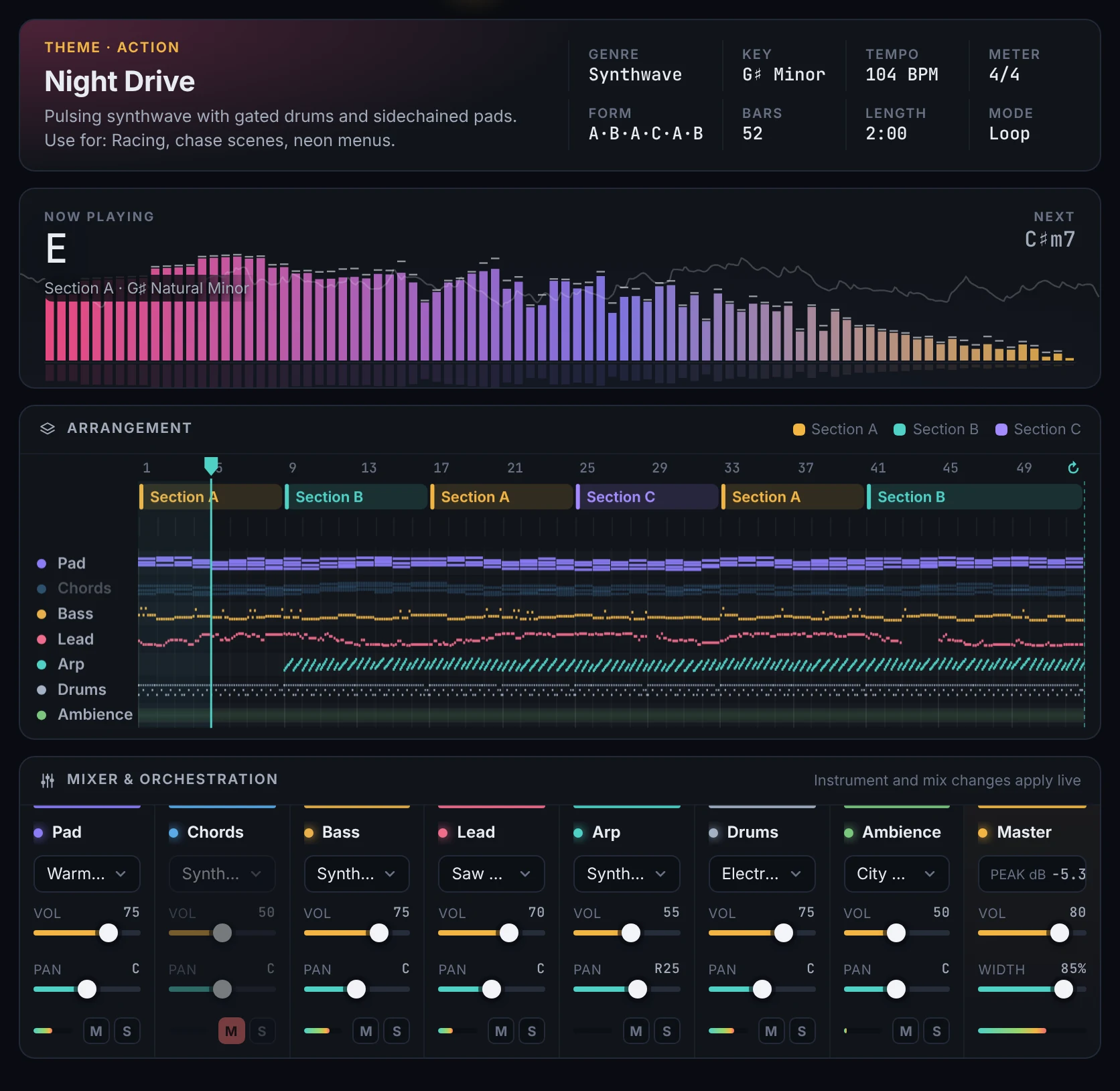
Motivo writes and plays original soundtracks for your game: seamless loops, endlessly evolving tracks, stingers, stems and MIDI. No samples, no AI model, no licensing — just music theory and a seed.
Pick a theme, press play, tweak until it fits. Every change lands on the next bar, so you hear edits, not interruptions.
Seamless & evolving loops
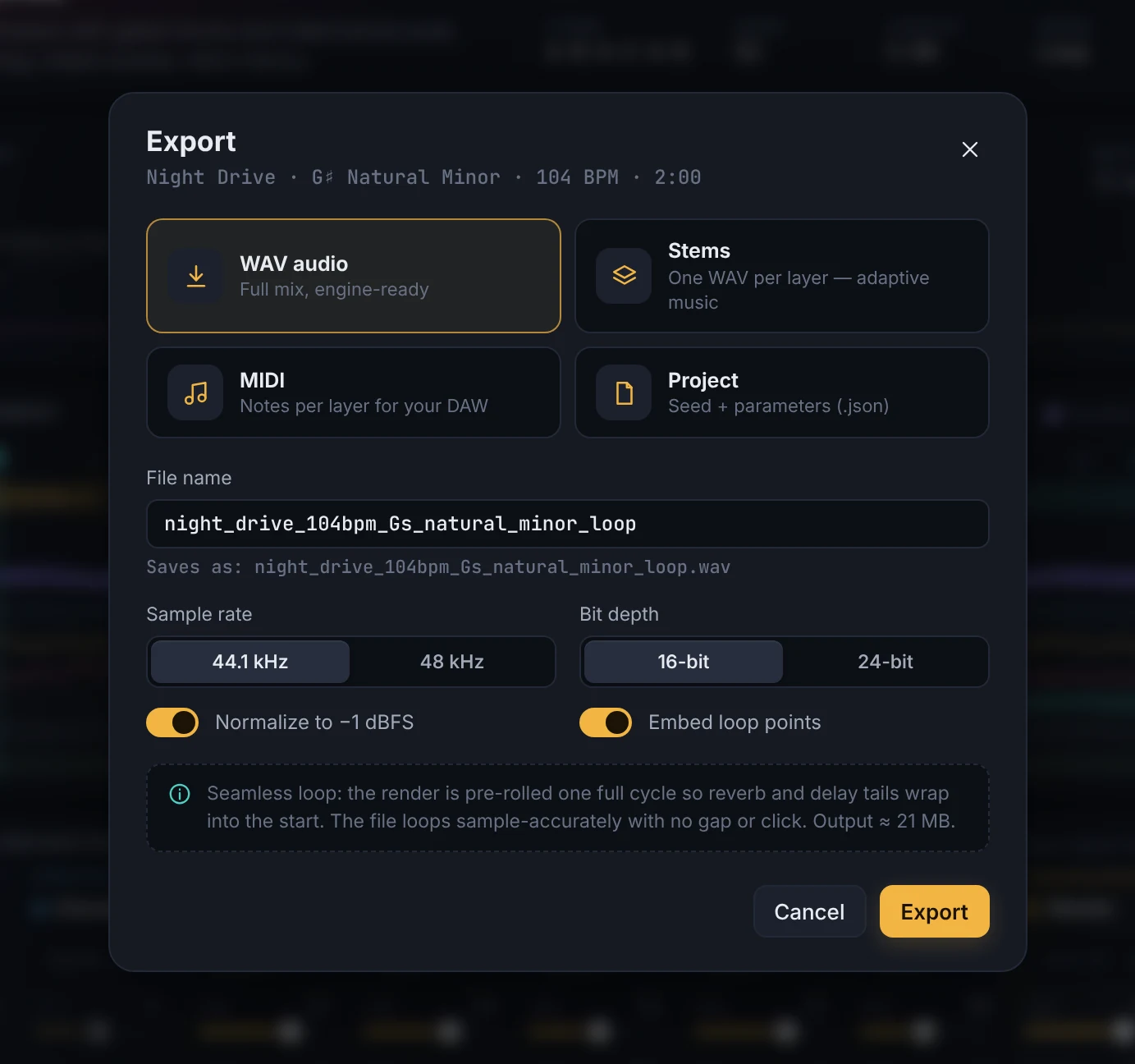
Loops wrap their reverb tails and carry embedded loop points. Evolving mode keeps varying every cycle for hours of non-repetitive play.
Reproducible by seed
A track is a seed plus its parameters. Save a few bytes of JSON, regenerate the exact same music any time — or roll a new seed for a fresh variation.
Stems for adaptive music
Export one WAV per layer that sums back exactly to the mix. Fade drums in for combat, drop the lead in menus — all from one track.
Beginner wizard
Five questions — purpose, setting, feel, length — then pick your favourite of three variations. Everything stays editable afterwards.
Real controls, explained
Energy, tension, brightness, form, groove, melody, ambience and effects — every parameter is plain language, with undo for everything.
Yours to ship
No samples, no cloud, no AI model. Everything is synthesised locally, so whatever you export is yours to use in any project.
New track wizard
From zero to a fitting track in a minute
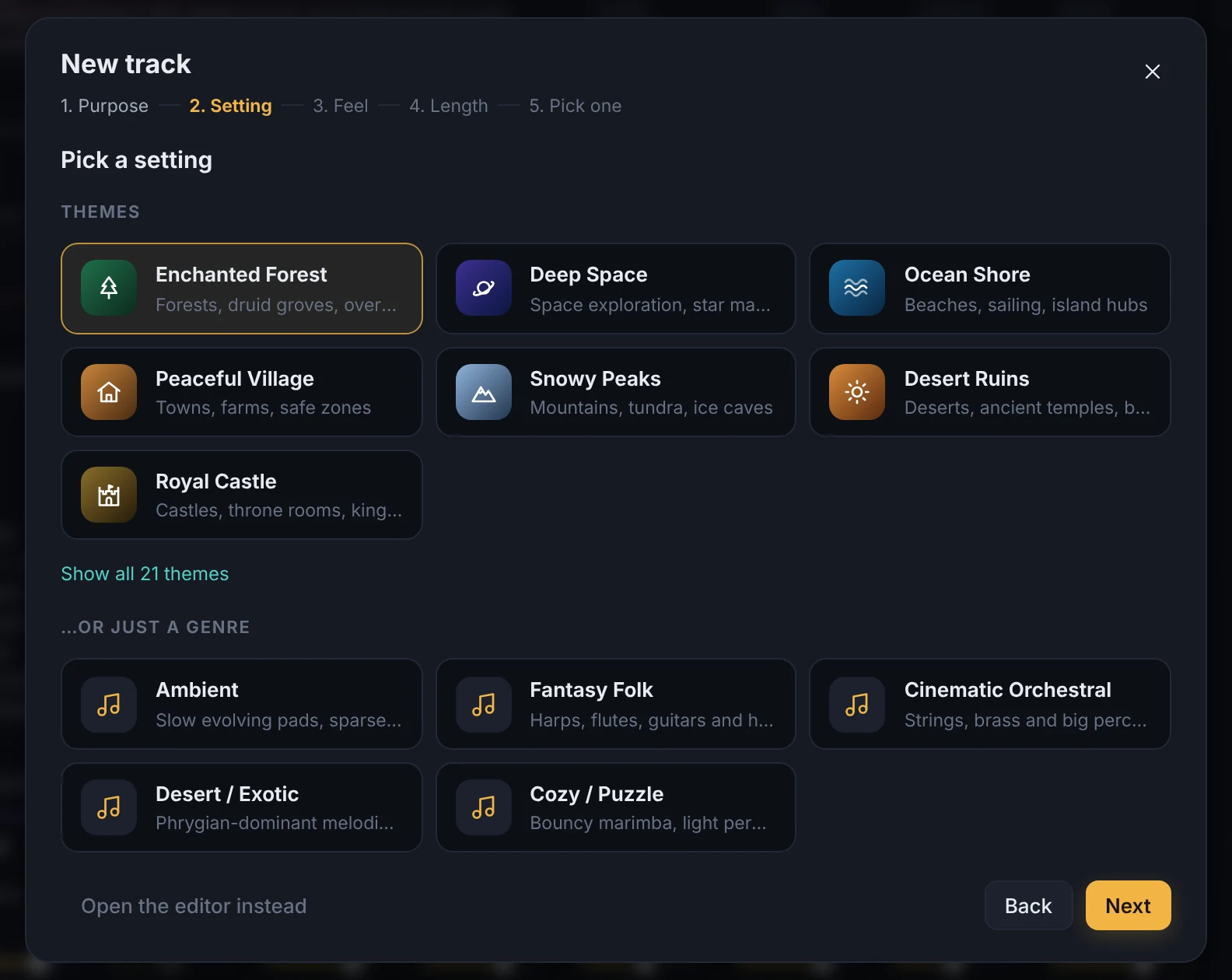
Not sure what "harmonic rhythm" means? You don't need to. Tell Motivo what the music is for and how it should feel; it picks sensible settings and gives you three takes to choose from.
1Purpose2Setting3Feel4Length5Pick one
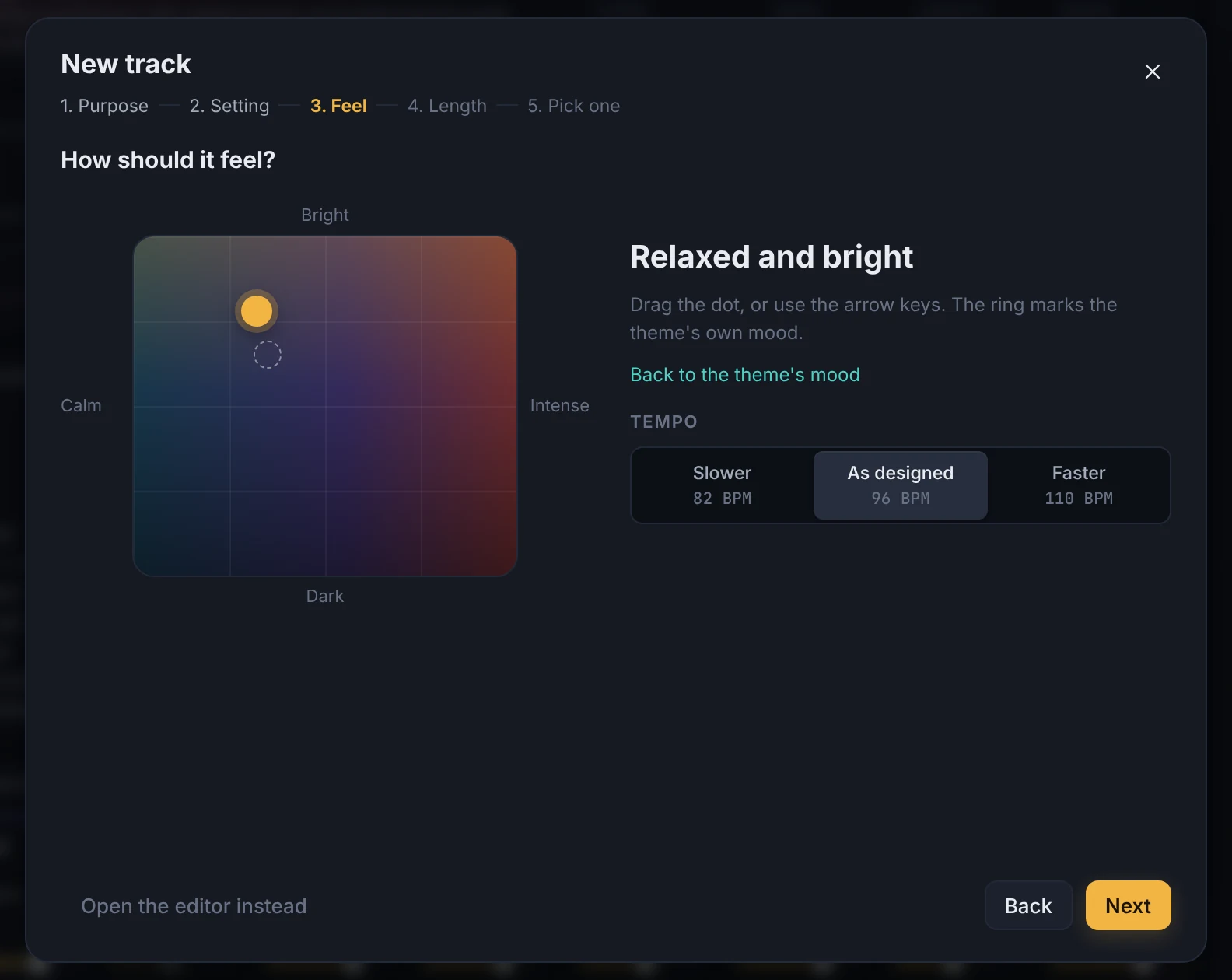
Mood pad — drag between calm and intense, dark and bright.
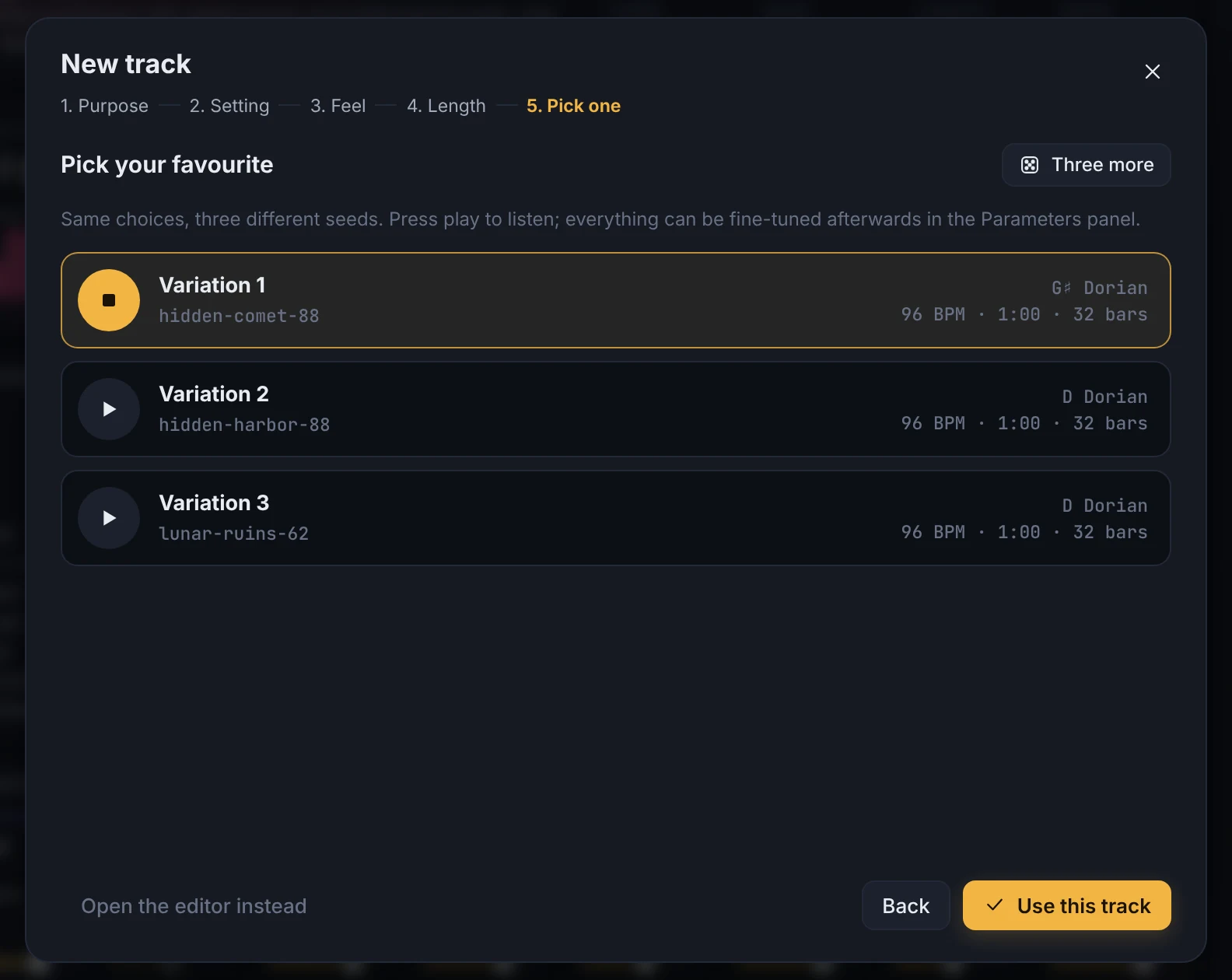
Audition three variations before you commit.
Fine-tune later in the full Parameters panel; nothing is locked.
See what you hear
An arrangement you can read
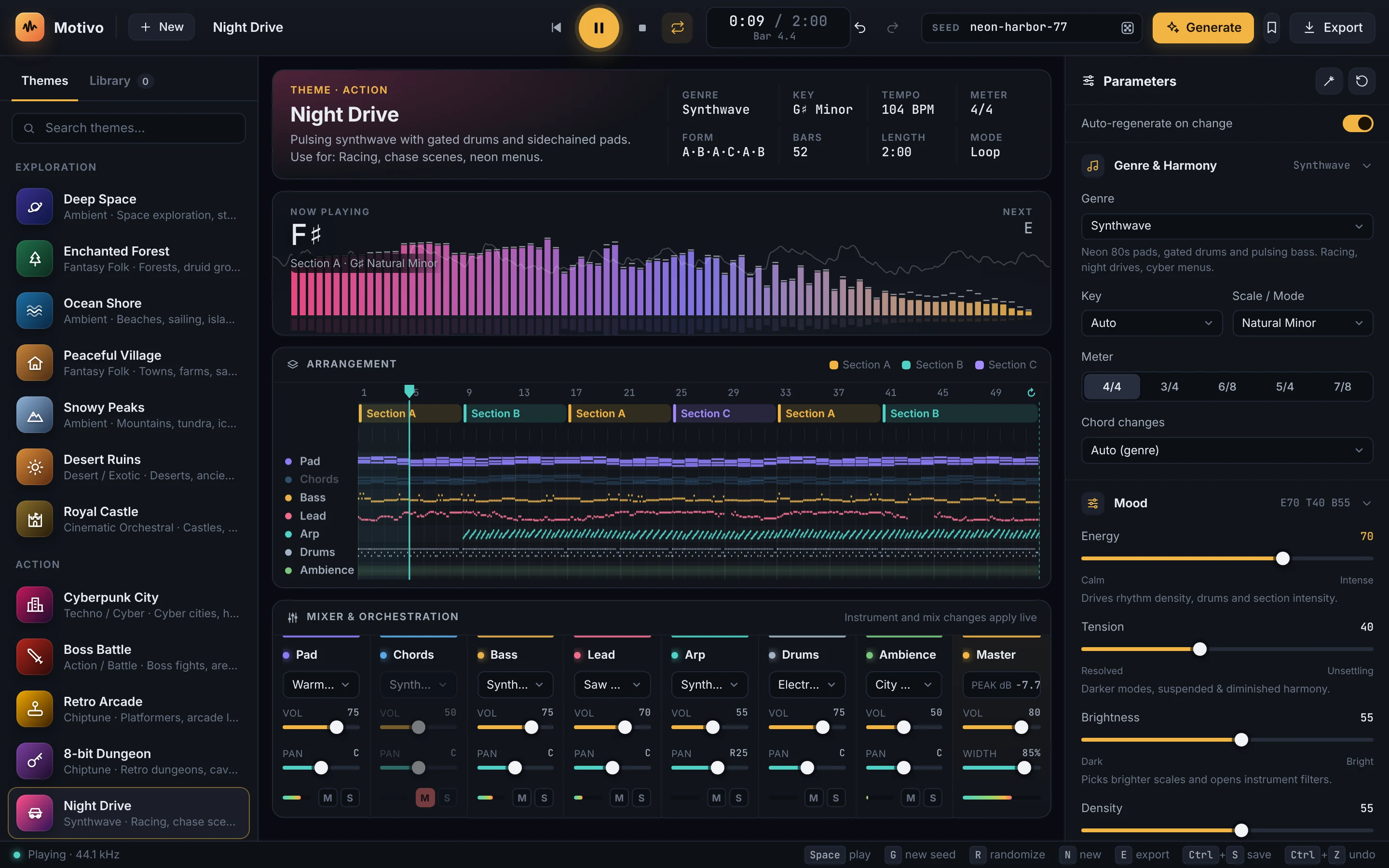
Sections, chord symbols and a mini piano roll per layer, with the current and next chord over a live spectrum. Mute, solo and swap any of 36 instruments while it plays.
Stems + matching mix that add up exactly when layered.
MIDI with tempo, meter, section markers and General MIDI programs.
UnityGodotUnrealGameMakerFMODWwise
How it works
Music theory, not magic
Motivo is a rule-based composer. It picks a key and scale from the mood, builds a form and chord progressions from genre templates, writes motifs and grooves, then synthesises every note with the Web Audio API.
Every decision comes from a seeded random generator split per layer, so changing the drums never reshuffles the melody.
// neon-drive.motivo.json — the whole track
{
  "seed": "neon-harbor-77",
  "style": "synthwave",
  "mode": "loop",
  "length": 120,
  "energy": 70,
  "tension": 40,
  "brightness": 55,
  // …and the rest of the parameters
}
Download
Get Motivo
The latest release for macOS, Windows and Linux. A single small app, no installer required.